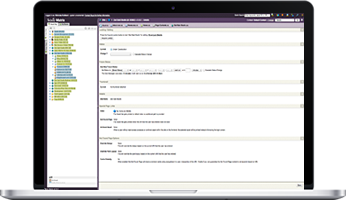



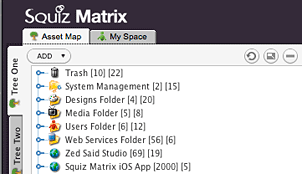
Have you ever had an Asset Listing and wanted to customize the layout of the very last item listed? Here is a tip that is probably hidden deep in the Squiz Matrix Manuals, but all you have to do is use -1 as the position format.
By setting -1 as the position, it creates a new Bodycopy asset that can be used to format the very last asset listed. This can be super helpful for many things such as creating valid JSON by removing th comma at the end or giving the last item a different class.
Over the last year I have been working on Squiz Matrix for iOS. Things have really been moving along recently, and I have been able to release three beta versions so far. I have received overwhelming feedback and support, and I am using all of these to make it into an even better app.
Up until recently, there was one thing that it was lacking. There was no rich text editing. No WYSIWYG editor. So, what were users suppose to do that were accustomed to having a WYSIWYG to enter content? I decided that I needed to provide a solution for this. Not many people want to write raw HTML on their iPhone or iPad. So, with that, I present, the Squiz Matrix iOS WYSIWYG editor (not feature complete).
Squiz Matrix iOS WYSIWYG Editor
The main view of the editor lists all of the controls at top (iPhone version will be slightly different, but same functionality). It will contain all of the standard controls that one would expect from a WYSIWYG editor such as bold, italic, insert link, insert image, etc.
The editor will also have the option to insert a keyword, just like Squiz Matrix in the browser has.
There is an option to view the source code, which is also editable. It also features a very nice code formatting engine that keeps your HTML cleanly structured. No more unstructured code like the browser Squiz Matrix WYSIWYG editor does.
There are plenty of additional features not yet implement or shown above. The insert image and insert link features are going to be quite a bit of work, but I will post an update about the progress on those.
I think that this is going to be an amazing addition to Squiz Matrix for iOS, and I am thrilled to get this into users hands as soon as possible.
Questions or comments are welcome!
Today saw the release of Squiz Matrix iOS beta 1. This is the first round of beta testing for all users that signed up.
The beta version includes the following features.
Features:
- Add multiple site configurations
- Asset Map Browsing
- Status Colors
- Importing of files in app
- Management of Imported Files
- Asset creation of selected assets
- Asset creation from imported files
- Viewing of selected asset screens
- Asset Details
- Viewing/changing Asset Status
- Viewing/changing Asset Attributes
- Viewing/changing Asset Metadata
- Viewing Asset Webpaths
- Preview Assets including all file types
- Asset Map sorting
- Deleting of assets
- Pull to refresh
Squiz Matrix 3.28.0 is required.
Note: Since this is a beta there will be issues, things not finished, and bugs. Make sure you contact us with any of these issues that you might find.